
Ford PH launches FordPass app on 25th anniversary
Remote unlock doors, check fuel levels, and locate your car via the FordPass app
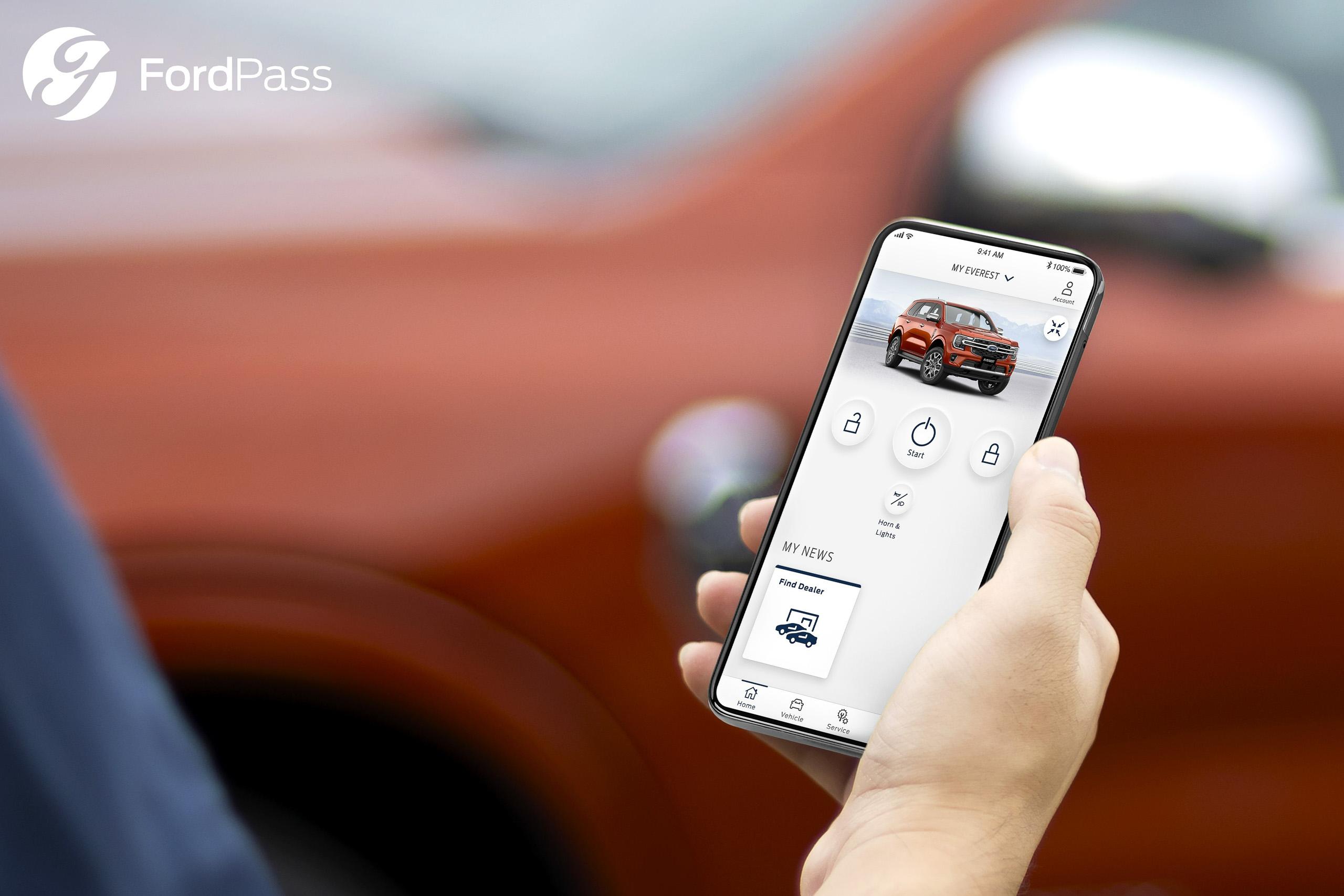
Ford Philippines has just announced that it is officially launching FordPass in the country. It offers customers a richer ownership experience through a smart, one-stop platform with an array of useful features for the customers.
In a nutshell, FordPass is an application that customers can download on their mobile devices to access vehicle-specific content and support. Customers whose vehicles are equipped with FordPass Connect, or a cellular modem with an e-SIM that enables the vehicle to connect to the internet, can access remote control functionalities such as remote start/stop, lock/unlock, and fuel level check.
In addition, with just a few clicks, Ford owners are also able to find their vehicles in crowded parking lots through a vehicle locator feature. Eventually Ford says customers can conveniently book their periodic maintenance service (PMS) through the app. The PMS booking service FordPass will be available on mobile devices running on Android 7.0 and above and iOS 14.0 and above, and can be downloaded for free from the Apple App Store and Google Play Store.
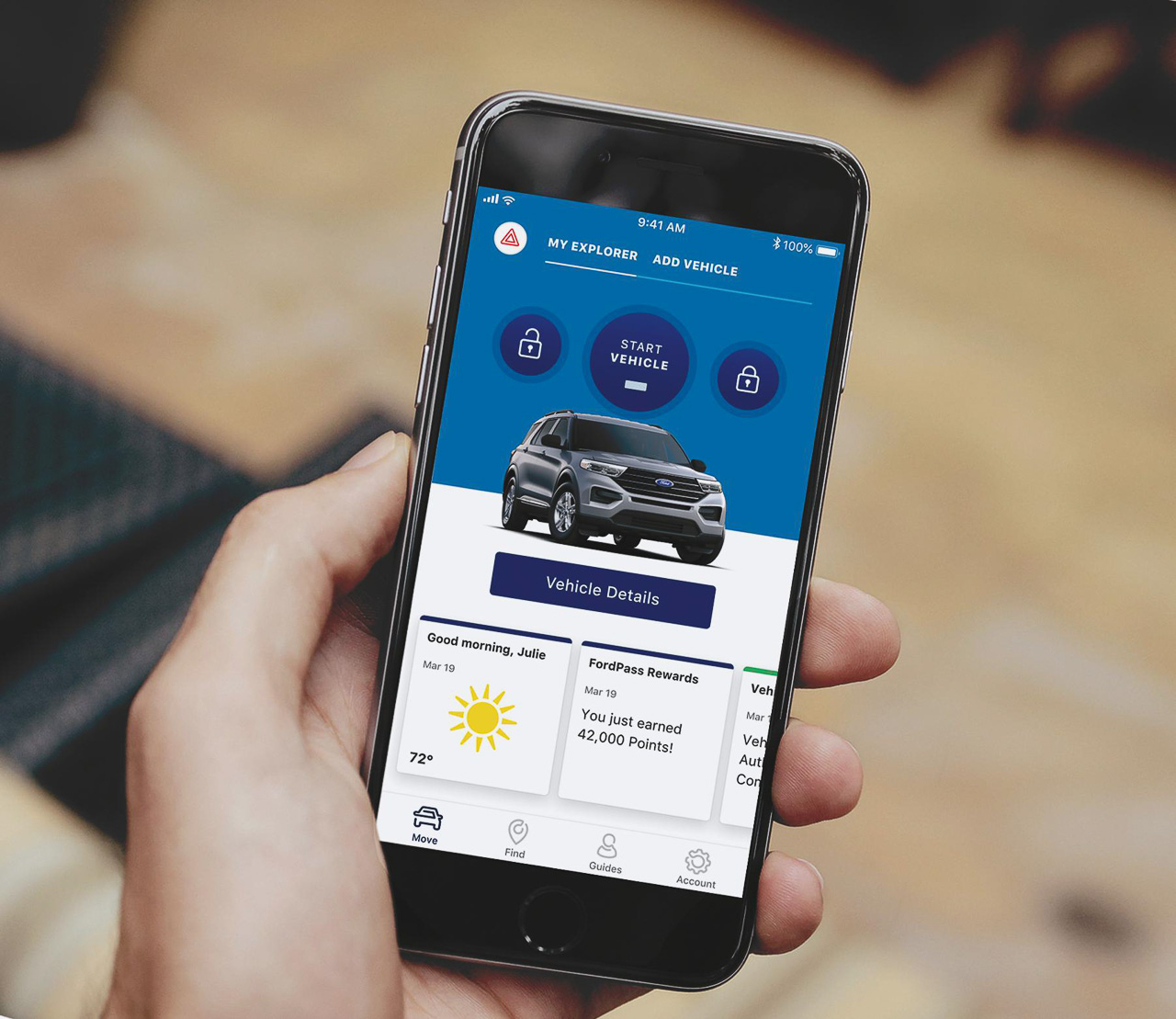
The following features will be available through FordPass:
-Remote Door Lock & Unlock – Lock and unlock doors without being near your vehicle.
-Remote Vehicle Start & Stop – Remotely start and stop your engine virtually from
anywhere and cool the cabin with the last known setting of your vehicle’s climate control.
-Vehicle Locator – Forgot your parking spot? Finding your ride is now easier with this
FordPass feature.
-Vehicle Status – You can check how much fuel you have as well as your odometer
reading without having to hop inside your car.
-Access to Guides – A team of experts is available via phone call or e-mail to answer any app-related questions.
“FordPass will drive the future of the Ford ownership experience, and we’re very excited to finally be able to launch it in the Philippines to benefit our customers who are technologically savvy and always on the go. With FordPass, it’s like having a personal assistant for your Ford vehicle. We leverage on connectivity to offer our customers a smarter and simpler way of owning a Ford,” said Mike Breen, managing director of Ford Philippines.
To install FordPass:
1. Download the app from the appropriate store
2. Select the FordPass icon on the home screen, then select “Philippines”
3. Select “Create Account”. Enter details as required. Enter mobile number
4. Press request code. OTP will be sent via SMS
5. Enter OTP into Authentication Code
6. Registration is complete with an SMS confirmation
To add a Ford vehicle:
1. Click drop down on top of the screen and select ‘Add Vehicle’
2. Enter your vehicle identification number (VIN)* and click next. Wait for confirmation
3. Enter a nickname for your Ford vehicle
4. Click ‘Activate Vehicle’
Owners of a next-generation Ford Ranger and next-generation Ford Everest (all models) will be able to download and access FordPass starting December 2, 2022.
Related Posts
Toyota PH launches T-OPT aftermarket brand at MIAS 2026
Toyota Motor Philippines officially introduces T-OPT, which is their latest premium regional aftermarket parts brand

MIAS 2026: GWM Tank 700 PHEV makes first overseas market debut in PH
The GWM Tank Hi4-Z PHEV arrives in PH just weeks after it debuted in the PRC
BYD “Drive Electric, Love Pinas” campaign sets two Guinness World Records
BYD and Department of Tourism’s “Drive Electric, Love Pinas” campaign makes it to Guinness World Records
Suzuki Philippines expands Laguna pre-delivery inspection facility
The upgrade lets SPH meet demand while upholding global quality standards
MIAS 2026: Geely PH previews EX2 EV to rival BYD Dolphin
Geely previews the EX2 at 2026 Manila International Auto Show; could start at PHP 950K
MIAS 2026: Jaecoo J5 HEV is priced to compete; starts at PHP 999K
OJPH wants to stir the B-SUV market with the J5 HEV